
In short
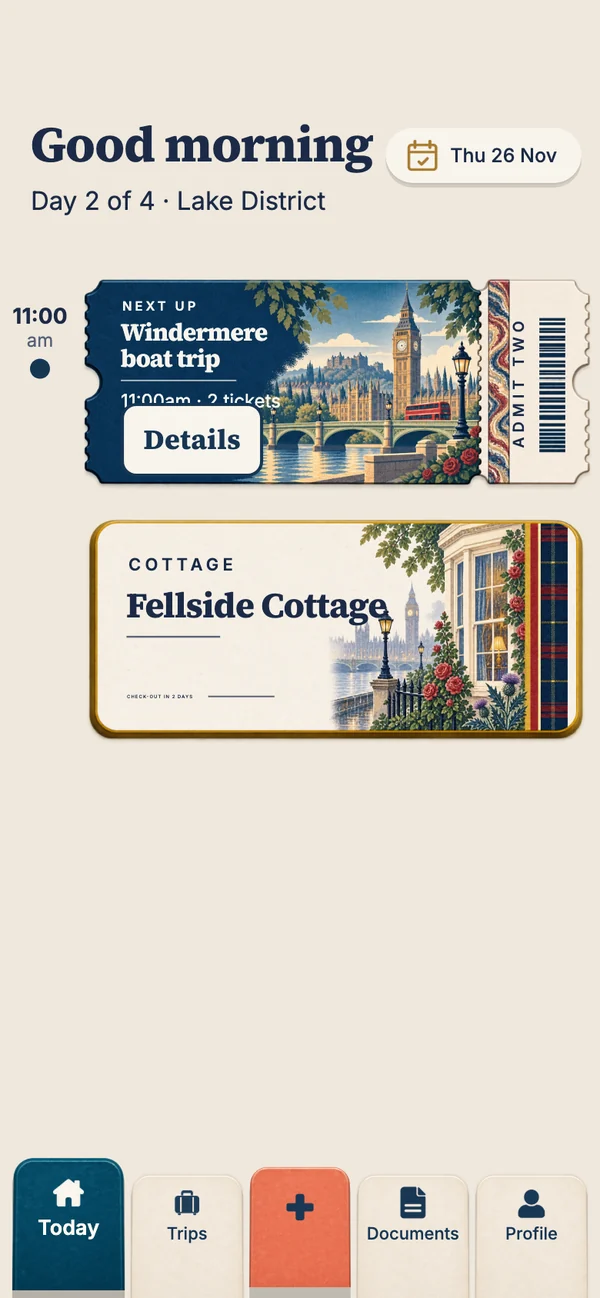
Travary is an itinerary app built for family holidays. One adult adds the bookings, or everyone adds their own, and Travary sorts them into days, so each morning the whole family sees the same plan: what's next, where you're sleeping, the tables you've booked. It works on iPhone and Android, keeps every ticket offline, and checks each family member's passport against the trip. It's coming soon to both stores.
Why family holidays need a different kind of app
Most itinerary apps are built for one traveller organising their own flights. A family holiday is different: one person usually books, four or five people live it, and at least one of them is asking "what are we doing today?" at 7am. The plan has to work for the organiser, the other adult, and the grandparents who booked their own flights, on whatever phones they have.
Travary was designed around that. It doesn't ask anyone to build a trip first or learn a planning tool. You add what you've booked, and the holiday arranges itself into days.
What a family gets from Travary
| The problem | What Travary does |
|---|---|
| "What time is the train?" | Every morning opens on that day's plan, in time order, with the next ticket ready to show. |
| One iPhone, one Android | Travary runs on both, and a shared trip looks the same on each. |
| Tickets in one person's inbox | With a pass, everyone's tickets are backed up and downloaded to each phone, so the second adult can show them too. |
| A child's passport about to expire | Each passport is checked against the trip and flagged if it has less than six months left after you're home. |
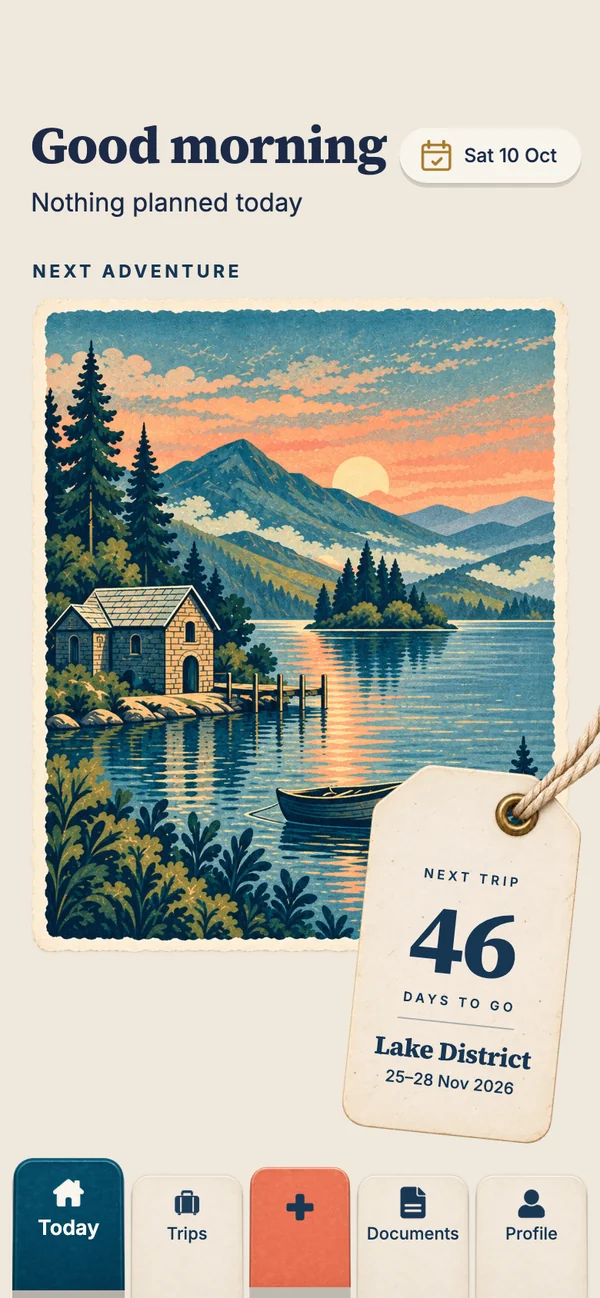
| "How many sleeps?" | Between trips, the app counts down on a postcard from where you're going. |
| The jobs that aren't bookings | A shared "Before you go" list for the consent letter, the pet sitter and the travel money, with "by" dates. |
Everyone on the same plan
With a Holiday Pass ($14.99 for one holiday) or the Annual Pass ($34.99 a year), you can share a trip with up to six people, you included, by sending them a short code. Everyone sees the same days on their own phone. Each person can add what they booked, so when the grandparents book their own flights, they add them, and the plan stays whole without anyone forwarding emails.
Passports are the exception. Travel documents never leave each person's phone and are never shared with the trip, even inside a family.
Early access
Get Travary for your family's next holiday
We'll email you the download link the day Travary lands on the App Store and Google Play, with the right link for your phone.
You're on the list
See you on launch day.
We'll email you the day Travary arrives on the App Store and Google Play.
Built for the day itself
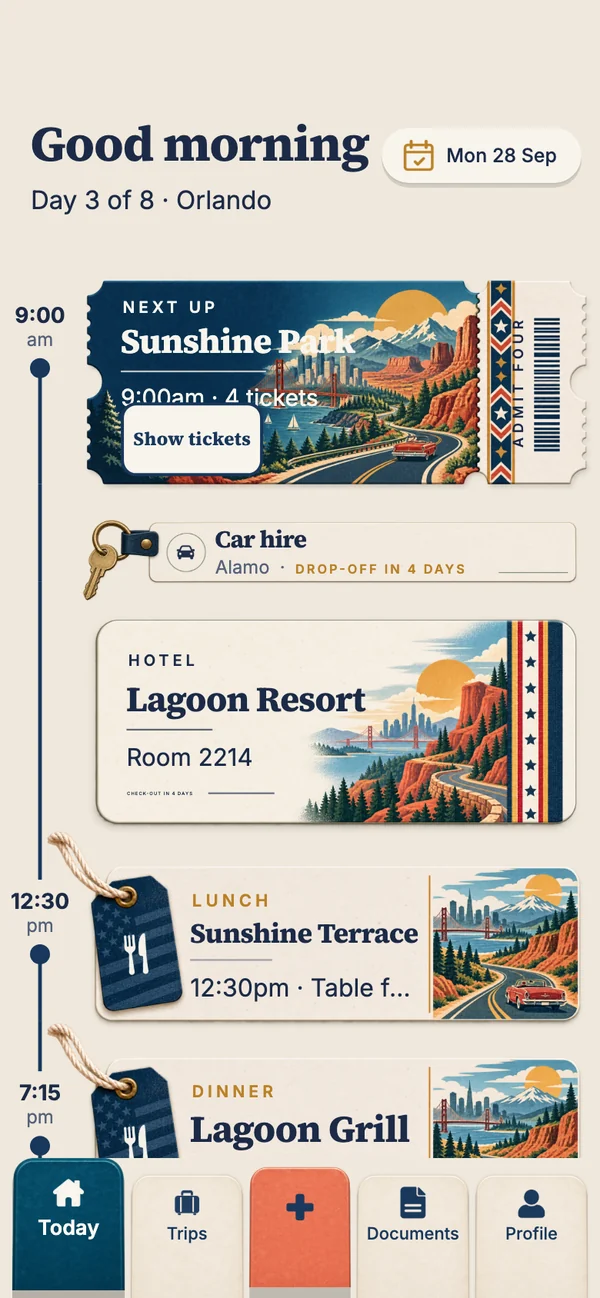
The Today screen is the heart of it. During the holiday, the app opens on today: the greeting, then the day's cards down a time rail. The theme park ticket sits in its place in time with "Show tickets" on it, the hotel's key card comes after, then lunch and dinner. Finished things fold away under "Earlier", so the screen always answers the question "what's next?"
It works with no signal. The plan and the tickets are stored on the phone, which matters at the park gate, the ferry port and the airport, where signal tends to disappear.
Small things that help with children
- Times exactly as printed. A dinner at 6:30pm stays 6:30pm whatever time zone your phone was in when you booked it, so nobody turns up an hour early.
- Gaps spotted for you. A night without anywhere to stay, or a missing flight home, shows up as a dashed row in the trip before it becomes a problem.
- A countdown children understand. A postcard and a luggage tag with the number of days, which is easier than "it's in March".
- Quick to add. Only a title and a date are required. Or pick a screenshot or PDF of the confirmation and Smart Import reads it for you to check (3 free, unlimited with a pass).
What it doesn't do (yet)
Travary isn't a research tool: it doesn't suggest attractions or draw your route on a map. It doesn't send flight delay alerts yet. If you want to research a trip with a map, use a planner such as Wanderlog alongside it, then put what you actually book into Travary. More in the best itinerary apps, compared.
What it costs a family
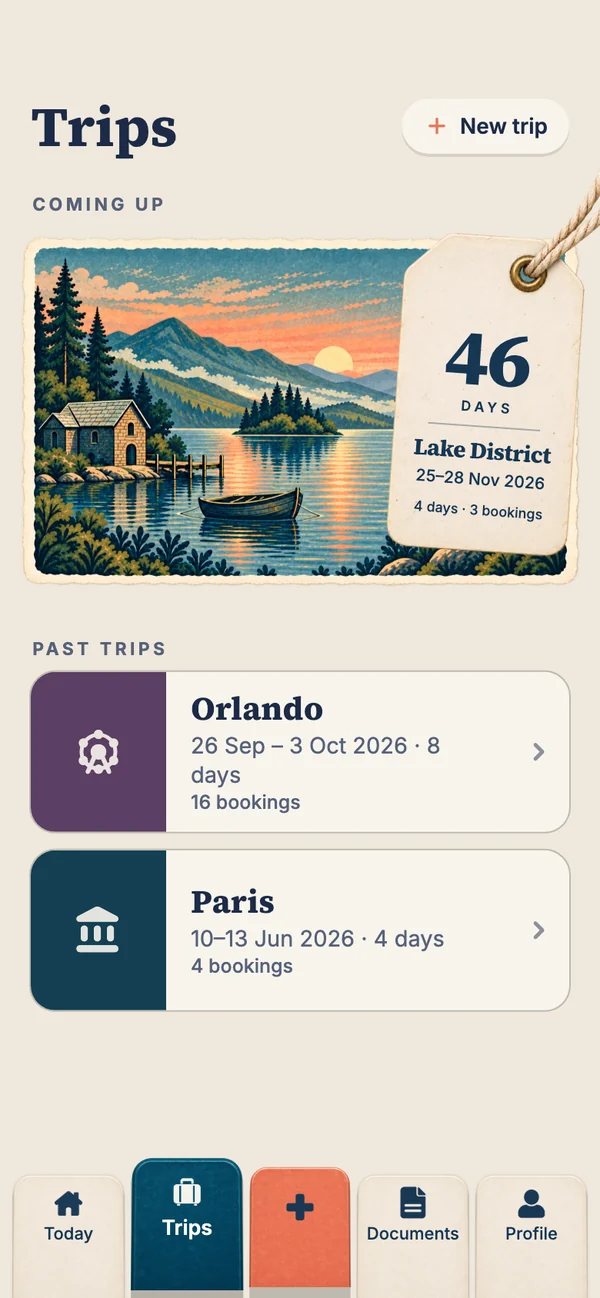
Everything for your own trips is free: unlimited trips and bookings, Today, the countdown, tickets offline and travel documents. Family sharing needs a pass: a Holiday Pass covers one trip of up to 30 days with a single payment, not a subscription; the Annual Pass covers every trip you organise for a year. A pass on a trip covers everyone on it. Prices are in US dollars; the stores show your local price.
Questions people ask
What is the best itinerary app for families?
Look for one that works on both iPhone and Android, lets every adult see and add bookings, keeps tickets offline, and shows each day's plan clearly. Travary is built for exactly that; Wanderlog is good for planning together beforehand; TripIt suits a parent who forwards booking emails.
Can my whole family use one Travary trip?
Yes. With a Holiday Pass or the Annual Pass you can share a trip with up to six people, you included. Everyone sees the same days and tickets on their own phone.
Does Travary work if we have iPhones and Android phones?
Yes. Travary is built for both, and a shared trip looks the same on each.
Do children need their own account?
No. One adult can hold the whole family's bookings. Share the trip with other adults or older teenagers who'd like it on their own phone.
Is Travary free for families?
Your own trips, bookings, tickets, Today and the countdown are free. Sharing a trip with the family needs a Holiday Pass for one holiday or the Annual Pass for the year.