
In short
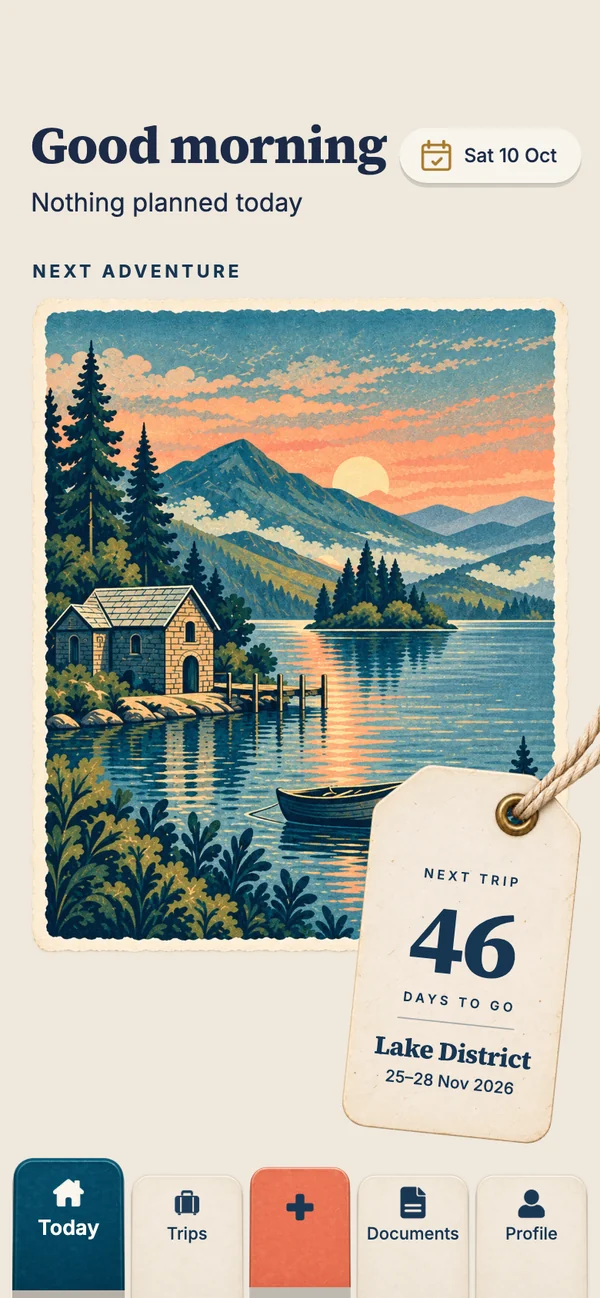
Travary's countdown widget puts your next holiday on your home screen: a postcard from where you're going, with a luggage tag counting the days to go, then the days left once you're there. It's free, with no ads, and it counts down from the trip in your Travary itinerary, so there's no separate date to keep up to date. It's on Android now through Google Play; the iPhone version is coming with the iPhone app.
What the widget shows
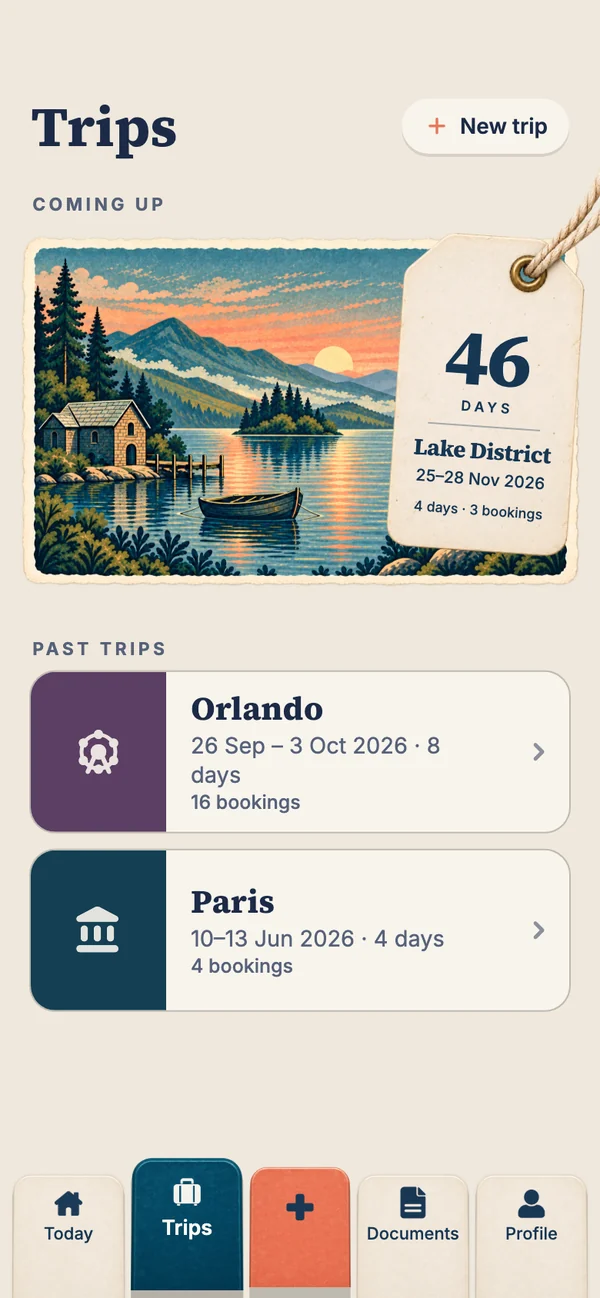
The widget shows the same countdown as the app's Today screen. Before a trip, the tag says how many days to go, with the trip's name and dates. Once you're away, it counts the days left. When there's no trip coming up, it asks "Where to next?"
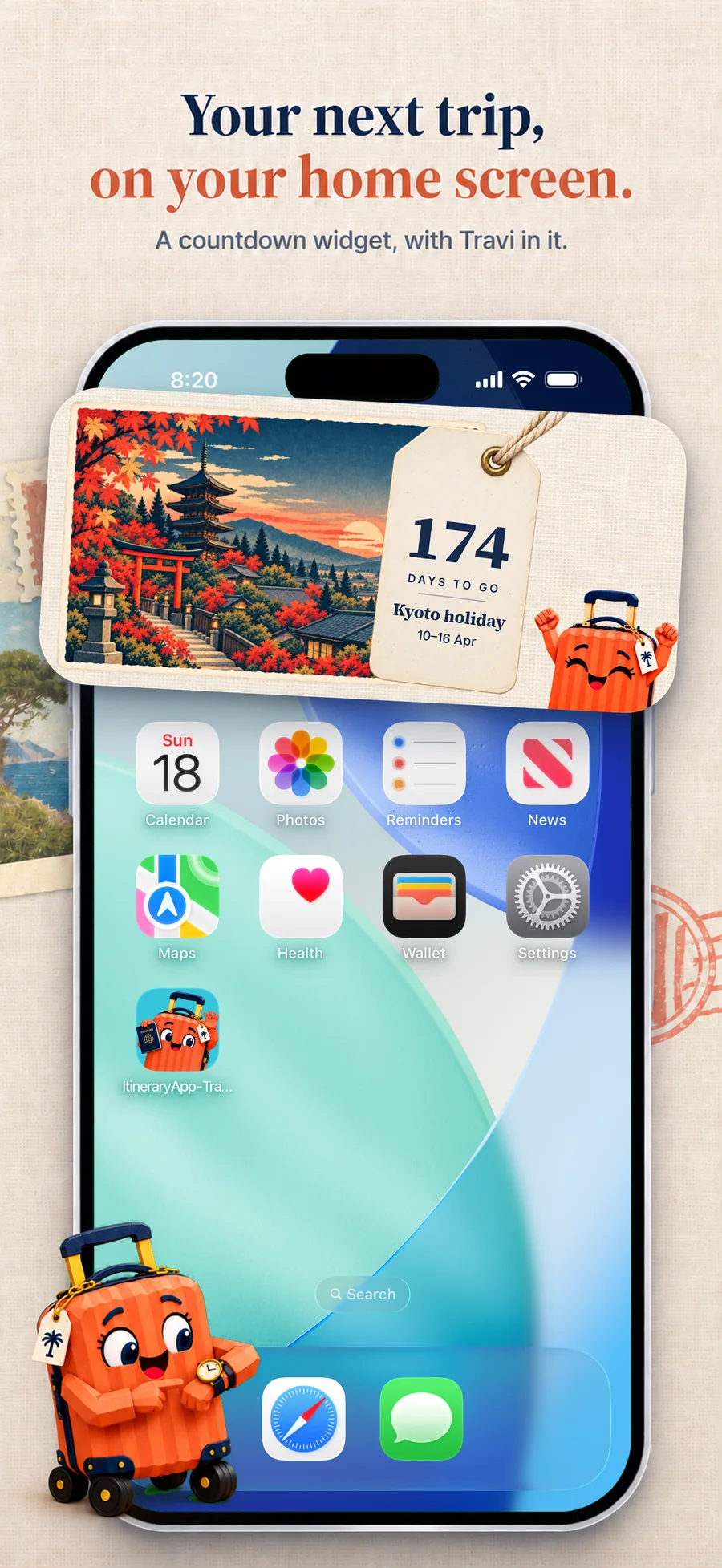
- A postcard from where you're going. Travary has illustrated postcards for many destinations, from Kyoto to Orlando to the Lake District. A trip somewhere without one counts down on a neutral postcard instead.
- Three shapes. On Android the widget resizes: small shows the postcard with the tag over it, wide shows a landscape postcard with the tag on its edge, and large shows the whole countdown as it appears in the app.
- It counts down by itself. The number turns over at midnight even if you haven't opened Travary for weeks.
- Travi says good morning. Travi pops up on the widget each morning until noon, and again when you tap the tag. Tap anywhere else and the trip opens.
Why a countdown that knows your bookings is better
Most countdown widgets ask for a date and a title, then count to it. That works until the plans change: the flight moves a day, or a weekend away gets booked before the big trip, and the widget is counting to the wrong thing.
Travary's widget counts down to the next trip in your itinerary. Add your flight or hotel and the trip forms from its dates; move the flight and the countdown moves with it. If you've got two trips booked, it counts down to whichever comes first, then moves on to the next once you're home. You can also start a trip with just a name and dates and fill in the bookings later.
How to add it on Android
- Install Travary from Google Play.
Travary on Google Play. It's free to start.
- Add your trip.
Add a booking, or tap "New trip" and give it a name and dates.
- Let Travary place it.
On the countdown in the app, tap "Home screen · Add this countdown", or go to Profile, then Home screen, then Countdown widget. Travary asks your phone to place the widget, and your phone shows its own "Add" dialog.
- Or add it yourself.
Touch and hold an empty part of your home screen, tap Widgets, find Travary, then touch and hold the widget and drag it into place. This works on Samsung Galaxy, Google Pixel and most other Android phones, though the menu names vary a little.
- Resize it.
Touch and hold the widget, then drag its edges to switch between the small, wide and large shapes.
On an iPhone
The iPhone version of the widget comes with the iPhone app, which is on its way to the App Store, and it will work on iOS 17 and later in small, medium and large sizes. Until then, the free online holiday countdown gives you the same postcard and luggage tag in your browser, and you can save it to your home screen from Safari's Share menu.
Other ways to count down to a holiday
| Option | Good for | Watch out for |
|---|---|---|
| A widget in your holiday app (like Travary's) | A countdown that follows your actual bookings | You need to add the trip to the app |
| A standalone countdown widget app | Counting to any date, holiday or not | You change the date by hand when plans change; many are ad-supported |
| An online countdown (like ours) | Sharing a link with everyone coming | A home-screen shortcut opens a web page, not a live widget |
| A paper countdown or calendar | Children ticking off the days on the fridge | Someone has to remember to tick it |
For children, a countdown is half the fun of a holiday. The widget's Travi peeking out each morning is there for exactly that, and the paper version on the fridge still has its place too.
Early access
Get the countdown on your home screen
Travary is on Google Play now. On an iPhone? Leave your email and we'll send you the link the day it lands on the App Store.
On Android? Get Travary on Google Play →
You're on the list
See you on launch day.
We'll email you the day Travary arrives on the App Store.
Questions people ask
Is the Travary countdown widget free?
Yes. The widget is free for everyone, with no ads. Travary itself is free to start, and its paid passes add things like family sharing and flight alerts, not the countdown.
Is there a holiday countdown widget for Android?
Yes. Travary's countdown widget is on Android now through Google Play. Add your trip in the app, then add the widget from the app or from your home screen's Widgets menu.
Does the widget work on Samsung phones?
Yes. It's a standard Android widget, so it works on Samsung Galaxy phones as well as Google Pixel and other Android phones. Touch and hold the home screen, tap Widgets and look for Travary.
Is there an iPhone version?
It's coming with the iPhone app, for iOS 17 and later. Until then, the free online holiday countdown on this site works in Safari and can be saved to your home screen.
Does the countdown include today?
No. It counts the calendar days between today and the first day of your trip, so the day before you travel shows 1 day to go.
Does the widget go on the lock screen?
Not at the moment. It's a home screen widget.
What happens when I have two trips booked?
The widget counts down to whichever trip comes first, counts the days left while you're on it, then moves on to the next one when you're home.