Travary›Travel document organizer app
The itinerary app
A travel document organizer app that keeps passports private

In short
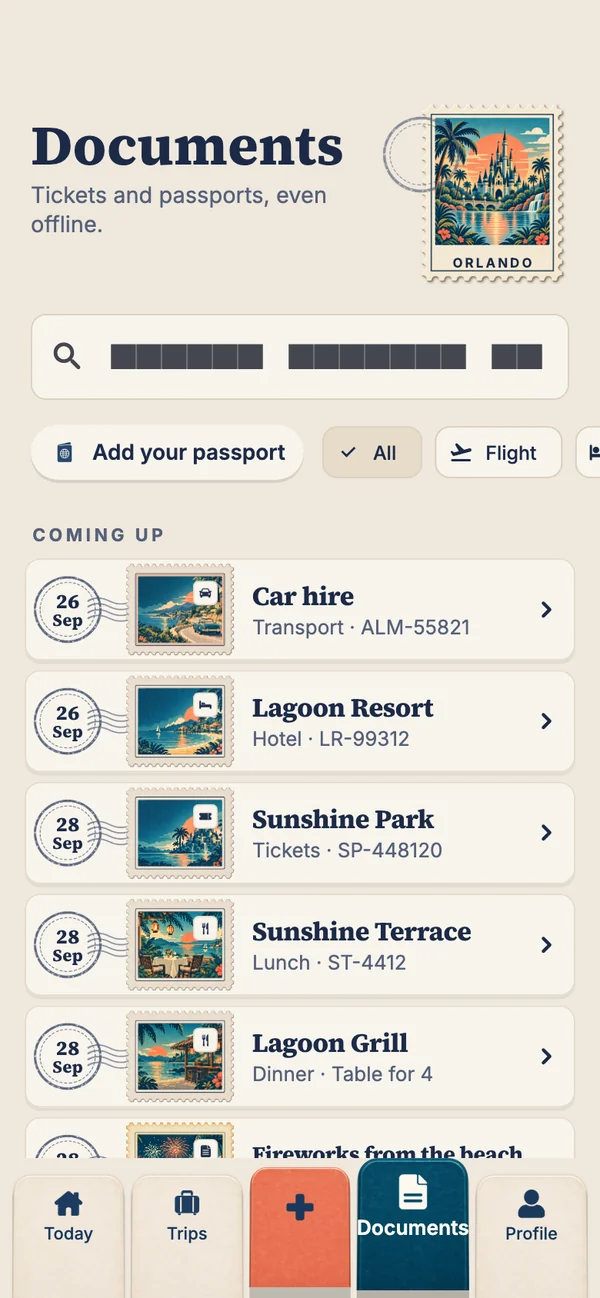
Travary organises two kinds of travel documents differently. Tickets and booking confirmations live on each trip and in the Documents tab, all available offline. Passports, visas and insurance live in Travel documents: stored only on your phone, behind its own Face ID, fingerprint or passcode, never uploaded or shared, with each passport checked against your next trip. Travary is coming soon to iPhone and Android.
Two kinds of document, two kinds of care
"Travel documents" means two quite different things. Booking documents (boarding passes, hotel confirmations, tickets, car hire vouchers) need to be quick to find, offline, and often shared with the people you're travelling with. Identity documents (passports, visas, insurance policies) need the opposite: to be private, locked, and never shared by accident.
Most apps treat them the same way, which usually means putting a passport scan somewhere it shouldn't be. Travary keeps them apart.
Tickets and bookings: the Documents tab
Every booking for every trip, with its ticket, gathered in one tab as a row of postage stamps, searchable and filtered by kind. Tickets are stored on your phone with their bookings, so they open in aeroplane mode. On a shared trip, everyone's tickets are backed up and downloaded to each phone.
Passports, visas and insurance: Travel documents
| In Travary | |
|---|---|
| Where it's stored | Only on your phone, in the app's private storage. Never uploaded. |
| How it's locked | Behind your phone's own Face ID, fingerprint or passcode, and locked again whenever you leave the app |
| Who can see it | Only you. Never shared with a trip's family, never sent to Smart Import or AI |
| Numbers | Masked until you ask; the keyboard is told not to learn them |
| Expiry | Each passport checked against your next trip, and flagged with less than six months left after it |
| Sending a copy | Only when you choose "Send a copy", and it asks first |
| Cost | Free, on every plan |
Early access
Get Travary and keep your passports private
We'll email you the download link the day Travary is out on the App Store and Google Play.
You're on the list
See you on launch day.
We'll email you the day Travary arrives on the App Store and Google Play.
Compared with the usual places
| Where people keep them | The catch |
|---|---|
| Photo of the passport in the camera roll | Syncs to the cloud and shows to anyone looking at your photos |
| Emailed to yourself | Sits in your inbox and sent folder indefinitely |
| A shared trip folder | Shared with everyone on the trip, and anyone they forward it to |
| Phone wallet | Great for boarding passes; doesn't hold passports or insurance |
| Password manager | Safe, but not connected to your trip's dates |
More on this in should you keep a copy of your passport on your phone?
Questions people ask
What's the best app to organise travel documents?
One that keeps booking documents and identity documents apart: tickets offline and easy to share with the people you're travelling with, passports private and locked. Travary does both, and checks each passport against your next trip.
Is it safe to store my passport in an app?
It depends where the app stores it. Travary keeps travel documents only on your phone, behind its own Face ID or passcode, and never uploads them or shares them with anyone.
Can my family see my passport on a shared trip?
No. Bookings and tickets are shared on a shared trip; travel documents never leave each person's phone.
Does Travary tell me if my passport is about to expire?
Yes. Each passport is checked against your next trip and flagged if it has less than six months left after the trip ends, which covers every country's passport rule.